how to guide
How to Send an Email with Claude (No Code Needed)
Connect AutoSend MCP to Claude and send email campaigns by chatting. No dashboard, no code, no copy-paste. Here's how to set it up in minutes.
Yogini Bende • 16 Jun, 2026
Yogini Bende • 22 Jun, 2026 • how to guide
We sent a 220,000 email campaign at Peerlist without anyone opening a dashboard. Someone on the team described the campaign to Claude, Claude built it through the AutoSend MCP server, previewed it, and sent it. It went out flawlessly.
That is the moment I realized most email APIs are built for humans clicking buttons, and almost none of them are built for an agent doing the work. The two are not the same problem. A human reads error messages, waits, retries by hand, and reads the docs in a browser. An agent needs all of that to be machine readable, predictable, and safe to call without a person watching.
Here is what actually separates an email API an agent can run from one that fights the agent at every step.
The test for an agent-ready email API: can a coding agent read your docs, call your API, handle the errors, and run a real email workflow end to end, with no human translating in the middle? If a person has to step in to interpret anything, it is not ready.
When a human sends email through an API, the human is the reasoning layer. They decide what to send, when, and to whom. The API just executes.
When an agent sends email, the agent is the reasoning layer. It decides what to send by reading your system, your code, or a prompt. That means the API has to expose enough structure for the agent to make good decisions, not just accept commands. The docs become part of the runtime, because the agent reads them to figure out what is possible.
So the requirements shift. The API still has to send email reliably. On top of that, it has to be legible to a model.
Machine-readable docs. Our docs are structured so a model can read them and understand every endpoint without guessing. If your docs only make sense to a human skimming a page, an agent will call your API wrong. This is the cheapest and most overlooked piece.
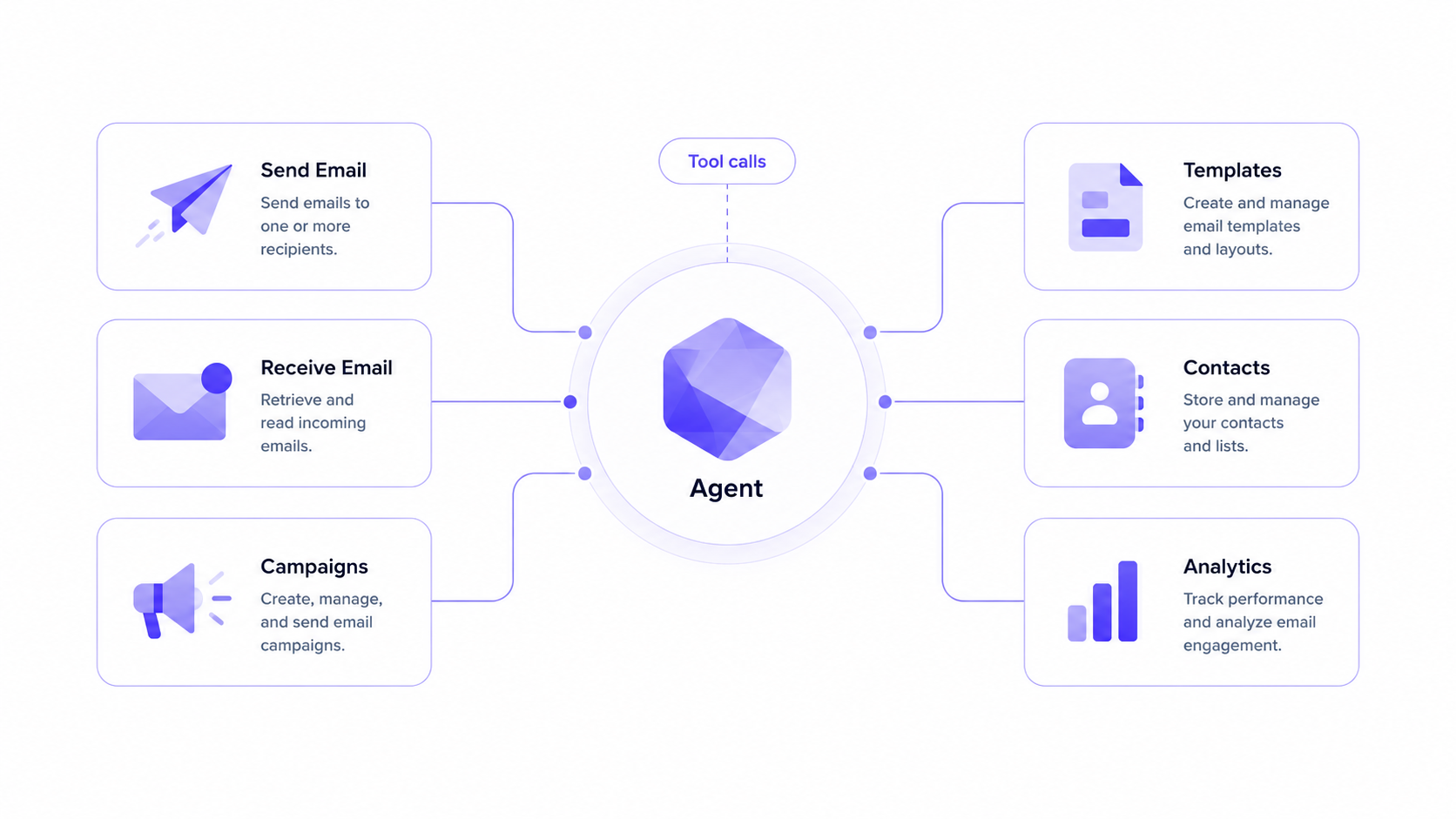
An MCP server. The AutoSend MCP server exposes 34 tools across campaigns, templates, contacts, senders, automations, and analytics. An agent connected to it can send an email, build a template, create a campaign, or pull delivery stats by calling a tool directly. No glue code. The agent sees the tools and uses them. This is the difference between an agent that can describe how to send email and one that actually sends it.
A skill file. A skill.md tells an agent how to use your product well, not just which endpoints exist. It encodes the patterns: how to structure a campaign, when to suppress, what a good automation looks like. The agent reads it once and acts like it has used your product before.
Predictable behavior under load. An agent will retry. It will send in bursts. The API needs idempotency so a retried send does not go out twice, clear rate-limit responses the agent can back off against, and webhook events the agent can react to instead of polling. You do not need an agent to think about any of this manually, the API just has to behave consistently every time.
Both directions. AutoSend now handles inbound as well as outbound. An agent can send mail and also receive and read replies through the same stack. That closes the loop. An agent can send a notification, watch for the response, and act on it, all in one system.
One of our customers had all the logic of how their app works sitting in their codebase. They opened Claude Code, pointed it at their repo, and asked what email automations they should be running for their product. Claude Code read the code, proposed a set of automations that fit how the app actually behaves, and created them through the AutoSend email MCP. Those automations are live now.
The person who did this would not have called themselves an email expert. They did not know what a good onboarding sequence looks like or when to trigger a re-engagement email. The agent did, because it could read both their code and our skill file, and it had the tools to act. That is the real unlock. The expertise moves into the agent, and a good API lets the agent apply it.
If you want to try the simplest version, sending an email from an AI agent takes a few lines, and you can run the whole thing from Claude with no code at all.
There is a wave of tools that give an agent its own inbox, an address where the agent can receive mail. That is useful for agents whose whole job is handling a mailbox.
AutoSend solves the other side and now both. It is the email stack an agent operates, sending transactional mail and campaigns, managing contacts and templates, running automations, and receiving replies through inbound. The agent is not just checking a mailbox. It is running the email system the way a person on your team would, except faster and at any hour.
That stack sits on Amazon SES, with gradual send built in, so the reliability and deliverability work that an agent should not have to reason about is already handled underneath. The agent inherits a sending setup that behaves, and you can read more about how we think about that on the agents page. When an agent sends through AutoSend, it follows the same transactional email best practices we would apply by hand, because the API enforces them.
Peerlist's email runs through AutoSend, and increasingly we drive it from Claude through the MCP server rather than the dashboard. The 220,000 email campaign was one of those. The reason I trust an agent with that volume is that the API behaves the same way every time, whether a person or a model is calling it.
If you are building an agent that needs to send or receive email, AutoSend gives it the full stack to do it.
Related Articles
Still wondering?
See what your favorite LLM has to say about us,
then make an informed decision.