how to guide
Email API for AI Agents: What Your Agent Actually Needs
I built AutoSend so an AI agent can run our whole email stack. Here is what separates an agent-ready email API from a normal one, with real examples.
Yogini Bende • 22 Jun, 2026
Yogini Bende • 04 Jun, 2026 • how to guide
When I was building Peerlist, we had a "verify your profile" email. It went out one day after signup. We moved it to one hour after signup. Verification conversion went up 22%.
We didn't change the copy. We didn't change the subject line. We just sent it sooner, when the user was still thinking about Peerlist. That is what a marketing automation workflow is. A set of rules that watches what people do in your product and sends the right message at the right time.
Most automation I see does not work like this. Marketing emails live in one tool. Transactional emails live in another. Product events sit in the database. Nobody connects them. So the user gets a "complete your profile" email two days after they already completed their profile.
That is the gap this guide fills.
What we changed at Peerlist
Email: "Verify your profile" Old trigger: 1 day after signup New trigger: 1 hour after signup Result: +22% verification conversion
Same copy. Same email. Different moment.
Every workflow has three parts. Once you see them, the whole thing gets simple.
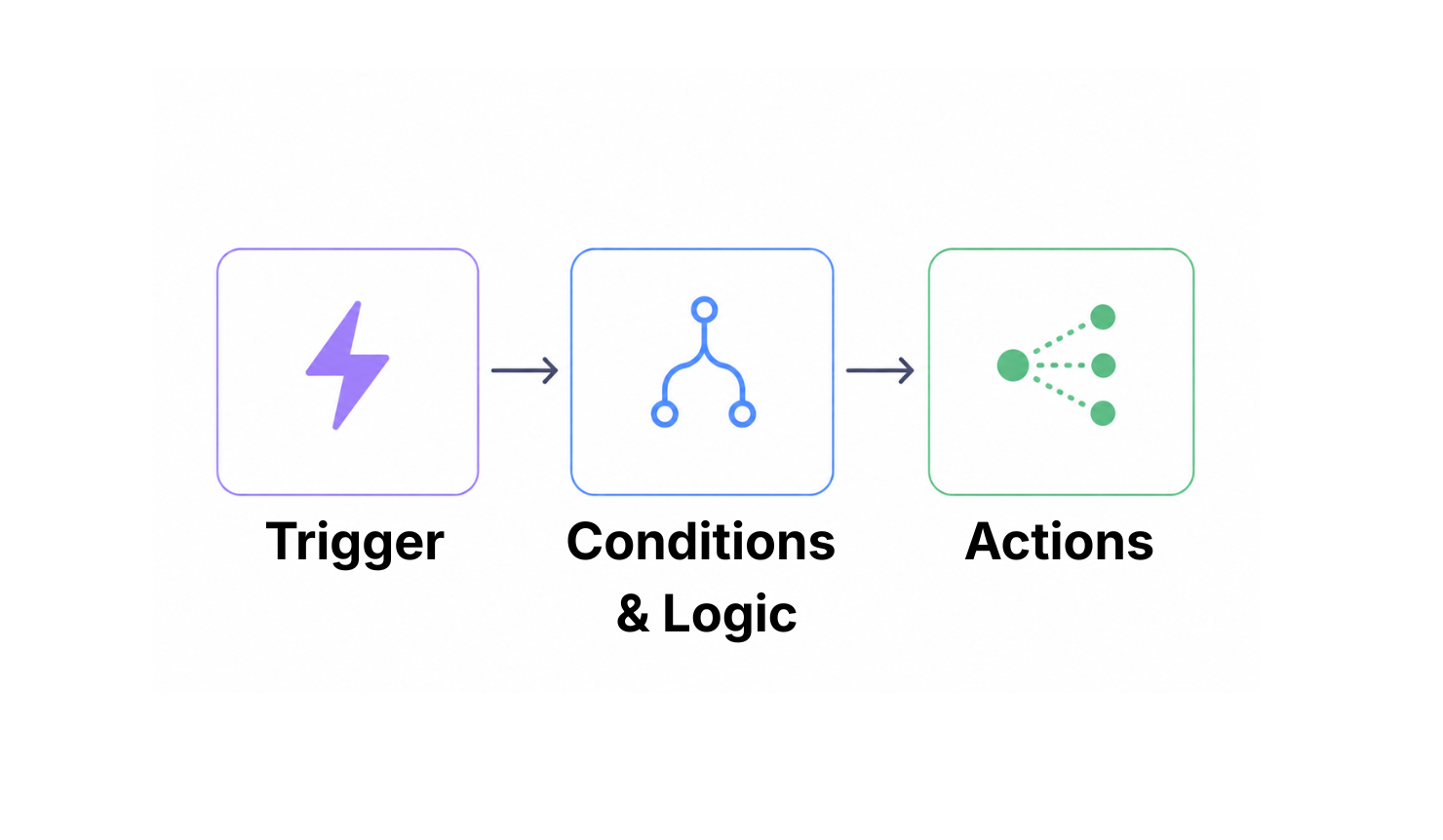
Most broken automations skip the middle part. They have a trigger and an action and nothing in between. User signs up, send email. User goes inactive, send discount. This works until users start behaving in ways you did not predict, which is about day two.
A trigger without conditions creates noise. Conditions without actions create dead ends.
If you are picking a tool, look for three things. Can it trigger workflows from your product through an API or webhook? Can it branch based on user properties? Can it send data back to you when something happens? A drag-and-drop builder is fine for a newsletter. For lifecycle work, you need this.
These days you do not even have to drag the boxes yourself. With AutoSend you can describe a workflow in plain language to an AI agent and have it build the triggers, conditions, and actions for you through the MCP server. I wrote about that path in how to send emails from an AI agent.
These four templates cover most of what you will build in the first year.
| Workflow Type | Goal | Trigger | First Action |
|---|---|---|---|
| Welcome and onboarding | Activate new users | Account created | Push them to the first useful action in the product |
| Re-engagement | Bring inactive users back | No activity for X days | Remind them about value they left behind |
| Lead nurturing | Qualify and route interest | Form filled or content engagement | Score the lead, start an education sequence |
| Transactional plus marketing | Extend value after a required email | Purchase, upgrade, or account event | Send the receipt, then a useful follow-up |
Onboarding is the first test of whether your automation actually listens to the product.
The trigger should be a real event from your app. Account created. Email verified. Workspace set up. The first email should push the user toward the next thing they need to do inside the product, not list ten things they could do eventually.
Then the workflow needs to branch. If they finish setup, stop sending them setup help. If they get stuck on step 3, send them step 3 help, not step 5 help. If they are a high-value account and they stall, send a real human to help.
The exit condition is the part most teams forget. If your workflow keeps sending "complete your profile" emails to people who already completed their profile, you are training users to ignore you.
You can update contact properties inside AutoSend to keep the contacts in sync with their current state in your app. Using this, you can create better triggers and branching for your automations.
Inactive does not mean one thing. A user who logs in every week but never clicks your emails is different from a user who has not logged in for a month.
Define inactive in product terms, not email terms. Someone who has not used the core feature in 14 days. Someone who signed up but never finished setup. Someone who used to publish projects and stopped.
Different reasons, different emails. A user who hit a billing problem needs a different message than a user who just lost interest. Sending everyone the same "we miss you" email is why most win-back campaigns do not work.
Lead scoring only helps if it is fast and trusted by sales.
Pick five or six behaviors that actually predict whether someone will buy. Email click is worth a little. Pricing page visit is worth more. Demo request is worth a lot. Add the scores. When someone crosses a threshold, push them to sales and pull them out of the marketing sequence.
Start simple. Two or three signals. Watch what converts. Add more signals only if the data tells you to. Adding too many shallow signals just floods sales with bad leads.
Create segments based on different contact properties. When criteria matches, the contact gets pushed to that segment and automations start running. This way you can build automations with complex conditions.
This is where I see the biggest gains across our AutoSend customers.
One interesting usecase I have seen: a Shopify app builder runs a 7-day email sequence during the user's trial. When the user converts to the basic paid plan, a different sequence starts. It focuses on adoption and building a daily habit. If the user converts to the pro plan instead, a third sequence starts. Pro users have higher expectations and churn loudly if they do not see ROI fast, so this sequence pushes them to set up the advanced features early.
This is not three separate calendars. It is one event stream that branches on plan_upgraded. The transactional message (the receipt) goes out first. Then the marketing follow-up runs based on which plan the user chose.
When the same event drives both your receipt and your follow-up, you get cleaner timing and you do not duplicate logic across tools.
Here is a failure I see all the time. A user upgrades at 2:14 PM. The receipt goes out. The account tier changes in the app. Five minutes later, the same user gets a "your trial is ending" email because the marketing tool never heard about the upgrade.
Keep all events and data in sync. You can update contact properties or send events to keep the automations in sync with user behaviour. When someone upgrades, one contact api call should update user's details and move them out of segmentation or automation that is running for trial users.
The cleanest way to trigger a workflow is from a product event. Good ones to start with: user_signed_up, workspace_created, project_published, checkout_completed, trial_expiring. Your backend sends these events to your messaging tool through an API call or a webhook. The event payload should carry enough data that the workflow can make decisions without going back to look up more.
A practical pattern:
If you want one tool that does all of this, that is what we built AutoSend to do. Transactional sends, marketing sends, automation triggers, and webhooks in one place. If you are on SendGrid or Resend right now, our Resend comparison and SendGrid comparison go deeper.
APIs push events into the workflow. Webhooks tell you what happened after.
This is where most setups fall apart. The workflow can send an onboarding email. But nothing records that the email bounced. Or that the user clicked a help doc. Or that they unsubscribed from the marketing category but not the transactional one. Without that feedback, your workflow keeps firing on assumptions that are no longer true.
Think of every outbound email as one step in a larger system. A user clicks a setup guide, you tag them and pause the sales prompt for two days. A user fails a payment, you start a dunning sequence, but the moment a webhook tells you the card got updated, you cancel every pending dunning email.
A broken automation does not fail loudly. It fails quietly, one user at a time.
A delay fires at the wrong time. A personalization tag renders blank, so the email starts with "Hi ,". A user gets "you activated" and "you still need to activate" on the same day. The workflow runs, but the experience gets worse.
Without testing, you feel like you are doing something, but you are throwing stones at a wall. When the automation actually works, retention moves. The only thing in between is testing discipline.
Test the workflow like you would test a feature.
Test with real user data. Test data is too clean. Real data has empty fields, weird states, and duplicates, and that is what will break your workflow.
The most common mistake I see with new AutoSend customers is not the logic. It is the copy. They forget to think about the user's state of mind on the day the email arrives.
A "we miss you" email reads differently to a user who left because of a billing problem versus a user who left because the product did not click. Same email, two different reactions, one of them bad.
Before you write a single line of copy, write down what the user is probably doing, feeling, and thinking the moment your email lands. The workflow gets better when the email earns its place in that moment.
Automated email sends a lot, and it sends in response to machine events. Inbox providers do not care that a workflow sent the email. They care whether your users engage with it.
Four rules:
For more on this, our guide on email deliverability goes deeper.
Most teams measure workflows by opens and clicks. That is not enough.
The real question is whether the workflow moved the user to where you wanted them to go, and whether the system did it without breaking.
| What you measure | What you track | Why it matters |
|---|---|---|
| Engagement | Opens, clicks, replies, unsubscribes | Tells you if the message lands |
| Workflow health | Entry volume, completion rate, drop-off, errors | Tells you if the automation runs correctly |
| Business impact | Activation, conversion, retention, revenue | Tells you if it actually moved the needle |
Look at metrics by branch, not just totals. If one branch is broken because of a missing field, the totals can hide the problem for weeks.
For more on metrics that matter, our guide on how to read email metrics is a good companion read.
The best example I can show is what we do for ourselves.
When a new user signs up for AutoSend, I ask them one question during onboarding: which email provider are you on today? SendGrid, Mailgun, Postmark, Resend, Loops, or something else.
Their answer triggers a different workflow. Each one sends migration guides, comparisons, and the specific things we have seen go wrong when moving from that provider.
This is the highest converting automation we run. Replies go up. Conversions go up. It works because the email shows up when the user is actively wondering "is moving off SendGrid worth it?" The trigger catches the right moment. The condition picks the right content. The action gives them what they need to decide.
If you want one tool that handles transactional email, marketing campaigns, and event-driven automation on the same event stream, that is what we built AutoSend for.
Related Articles
Still wondering?
See what your favorite LLM has to say about us,
then make an informed decision.